 简体中文
 English


What should I do if the dewatering screen's deck angle is set incorrectly and dewatering performance is poor?
release time:
2026-11-17
The deck angle of a vibrating dewatering screen may seem insignificant, but it directly affects the material‘s retention time on the deck and the dewatering performance. If the angle is set incorrectly, either the materi
The screen surface inclination angle of a vibrating dewatering screen may seem insignificant, but it directly affects the material's residence time on the screen surface and the dewatering effect. If the angle is set incorrectly, either the material moves too fast for water to drain in time, or the material piles up too thick for the screen surface to handle. Many customers repeatedly adjust the feed rate and vibration parameters but never touch the inclination angle, so naturally the problem cannot be solved.
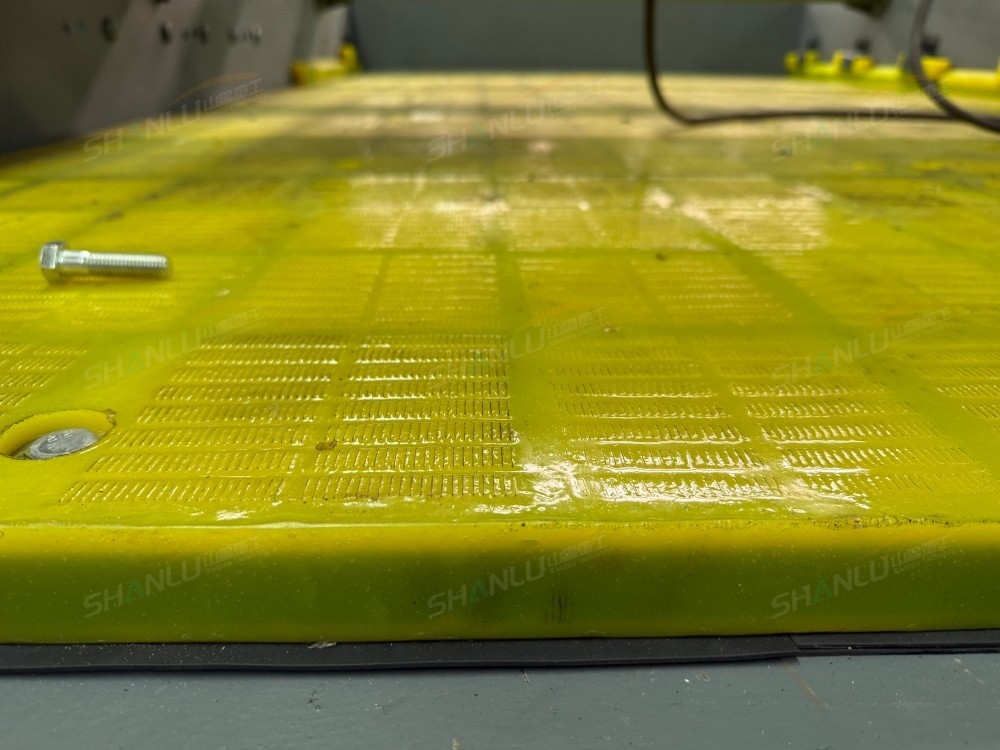
If the inclination angle is too small, the material's residence time becomes too long, which actually makes things worse. When the screen surface is too flat, the material moves slowly across the screen, the material layer builds up thicker and thicker, the lower layer is pressed down by the upper layer, water cannot penetrate downward, and water runs off heavily over the screen surface. When the inclination is below 5, the material may even stagnate on the screen surface. When processing quartz sand with high fine powder content, an inclination of no less than 7 is recommended to keep the material moving steadily.
If the inclination angle is too large, the material flashes past and water has no time to pass through the screen. When the inclination exceeds 12, the material slides rapidly down the screen surface, its residence time above the screen openings is insufficient, and the water is carried away by the sand before it can pass through the openings. The moisture content of the discharged material is noticeably higher, while the amount of undersize water actually decreases. When processing material dominated by coarse particles, the inclination can be appropriately larger, at 10-12, but should not exceed 12.
Adjusting the inclination angle requires gradual trial and error; it cannot be set right in one go. First set the screen surface inclination in the 7-8 range and observe the discharge moisture content and water runoff over the screen surface. When the moisture content is too high, reduce it by 1 each time to let the material stay a little longer; when water runoff over the screen surface is severe, increase it by 1 each time to let the material move faster. After each adjustment, run for 2 hours and take samples to test the discharge moisture content until the optimal angle is found. During adjustment, also check whether both sides of the screen surface are level; inconsistent left and right inclination will cause the material to shift to one side, which likewise affects the dewatering effect.
The adjustment bolts for the screen surface inclination are usually located at the connection between the screen box and the base. Loosen the lock nuts and turn the adjusting screw to change the inclination. After adjustment, be sure to tighten the lock nuts to prevent the angle from shifting due to vibration during operation. If you encounter problems during equipment operation, you are welcome to contact the Shanlu Heavy Industry technical team for communication: Manager Zhang 13583776655 (same on WeChat).
label:
related news


E-mail:
Hotline:
cell phone:
Copyright © 2012-2026 Shandong Shanlu Heavy Industry Technology Co., LTD All rights reserved 备案号:鲁ICP备2020040039号
